What Is a GPS Monitoring System? How It Works and Who Needs One
Maybe you first heard it in the office break room when the fleet guys mentioned it. Or it could have been at your neighbor’s barbecue when they talked about how they ensure their teenager drives safely. Wherever you first heard the term “GPS monitoring system,” you’ve been intrigued ever since. But what is a GPS monitoring system, exactly?
If you ask your colleagues or search the web for answers, it’s easy to think that “GPS monitoring system” is just a synonym for “GPS tracker.” People often use the two terms interchangeably. However, this is not only technically incorrect, but it also misses the point of having a comprehensive GPS monitoring system.
So, what is a GPS monitoring system? A GPS monitoring system is the combination of three things working together, which are a GPS tracking device installed in the vehicle, a cellular and cloud connection that carries its data, and software that turns raw coordinates into the maps, alerts, and reports you actually use.
Understanding each component of a GPS monitoring system helps you get exactly what you need, and this guide will walk you through everything you need to know. We'll explain how the tracker gets GPS coordinates, how that data moves from your vehicle to your phone screen, who these systems serve, and how it all works.
GPS Monitoring System vs. GPS Tracker: What's the Difference?
A GPS tracker is a small plastic box you might plug into a port under your car's dashboard or hide under the driver's seat. The difference comes down to this. A GPS tracker is a device, and a GPS monitoring system is that device plus the connection and the software that make its data useful.
Buying the box is not the same as buying the system. The distinction matters because most of the confusion around these products, and the disappointment that follows when a purchase does not do what someone expected, traces back to that one mix-up.
This can lead a parent or small business owner searching for a vehicle monitoring system to focus on the tracking device while ignoring the rest of the system.
The Three Parts of Every GPS Monitoring System
To distinguish between a standalone device and a full-fledged GPS monitoring system, it helps to look at the individual components and what each of them does. Every modern GPS monitoring system has three main parts:
- The device: The little plastic device mentioned above, a GPS tracker, is the physical hardware unit that determines the vehicle's location. Most commonly, this takes the form of a plug-in OBD-II device, a hardwired unit installed under the dashboard, or a battery-powered tag.
- The connection: The system needs a way to get data from the vehicle onto the internet. In almost all cases today, a GPS monitoring system will use cellular network connections to transmit data collected by the tracker. In fact, what sets some systems apart from competitors is wide cellular coverage on quality networks, so monitoring isn’t limited to metropolitan areas.
- The software: Whether through a smartphone app or a web portal, the system’s software receives raw location data and presents it in usable formats such as digital maps or historical reports.
Keep in mind that any system is only as strong as its weakest link. A highly accurate device paired with a poorly designed app is not likely to meet your needs. Similarly, a beautifully designed app fed by unreliable hardware through dropped cellular signals will leave you frustrated. Evaluating all three parts together is the key to finding a solution that works day in and day out.
How a GPS Monitoring System Actually Works, Step by Step
The three components are listed above, but how does GPS monitoring work when you put them together? The process runs in four steps, from satellite signal to the screen in your hand.
- The tracking device calculates its position by measuring how long signals take to reach it from several GPS satellites orbiting Earth, a process the U.S. government's GPS program calls trilateration. Three satellites are enough to fix a position, and seeing more than three improves the result.
- The device transmits that position over a cellular network. On OBD-connected units, this transmission often includes additional vehicle data, such as ignition status or diagnostic codes.
- A cloud server securely receives, processes, and stores that incoming data stream.
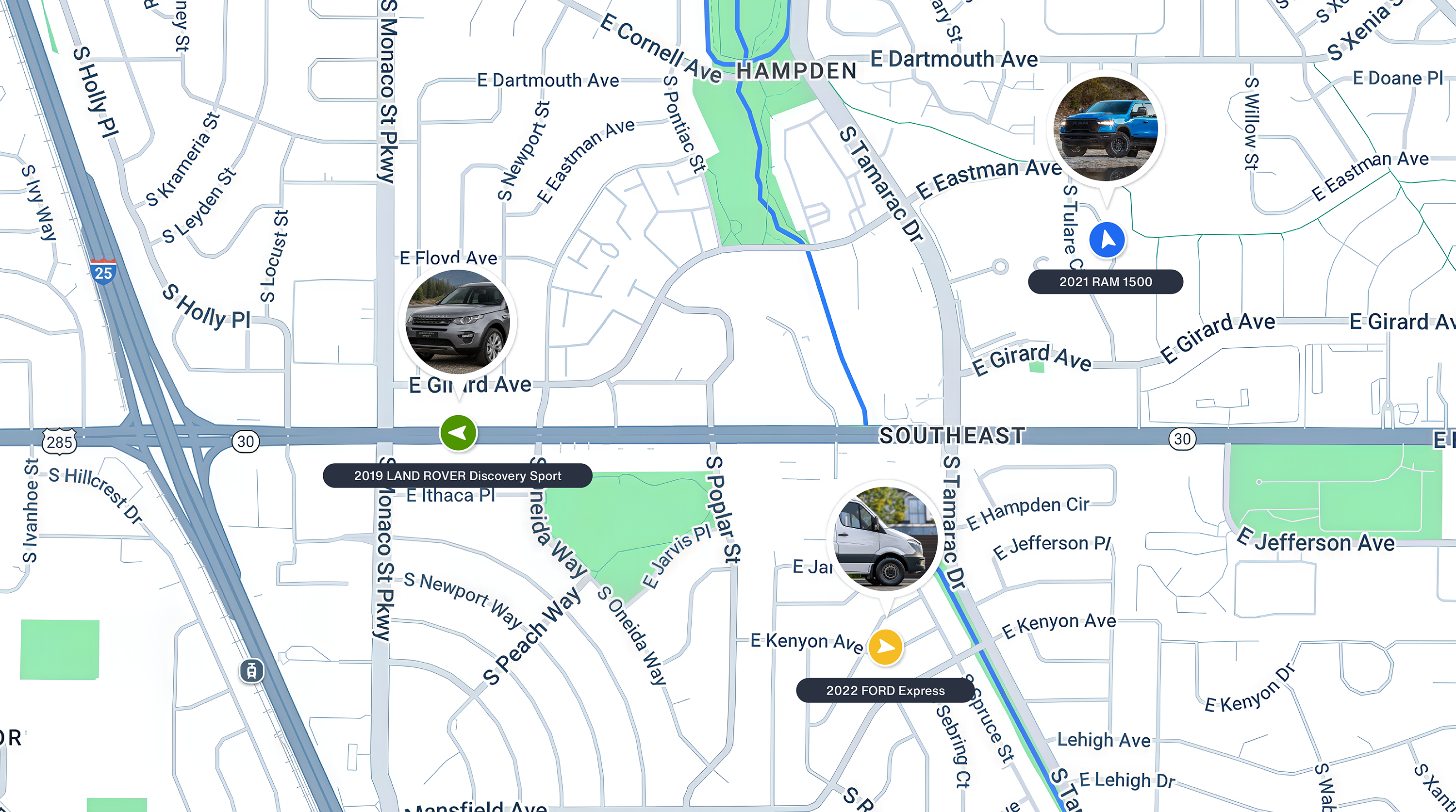
- The app or web dashboard pulls information from that server to show the vehicle's location. The software also lets you configure alerts for specific events, like speeding and entering or exiting a geofenced area. Depending on the software’s features, you can also view a history of trips and analyze driving behaviors.
Real-Time Monitoring vs. Interval-Based Pings: A Distinction That Matters
Just as important as how the data flows is how often it flows. Some systems update continuously as the vehicle moves, while others refresh only every few minutes or when you request it manually.
Interval-based updates are fine for general oversight, such as monitoring a weekend car that stays parked most of the year.
For most people, though, near real-time monitoring is the whole point of using such a system. If you want to confirm a vehicle is exactly where it should be right now, or get a geofence alert as soon as a vehicle leaves a designated parking area, you need updates measured in seconds rather than minutes.
Who Actually Uses GPS Monitoring Systems
Update frequency is one of many things that vary between systems, and which variation matters depends entirely on what you are trying to accomplish. So before comparing products, define your use case. Nearly everyone shopping for a GPS monitoring system falls into one of two groups, which are families monitoring one or a few personal vehicles, and small businesses monitoring a working fleet. The two want genuinely different things.
Families
These are the people who say, "I just want to track my car," though their reasons vary widely. Their goal may be to keep tabs on a newly licensed teen driver or ensure an aging relative stays safe. They may have a shared household vehicle that multiple family members use.
Regardless of their specific needs, families tend to want reliable, real-time monitoring. They want alerts that add to their overall peace of mind, not a boatload of data for analytical reporting or multi-tiered administration. An easy setup, without the need for professional installers, is important.
Small Businesses and Fleets
The second group includes small businesses and commercial fleets. The end user may be a business owner or fleet manager overseeing a handful of service vans or delivery trucks.
In these scenarios, the priorities shift toward multi-vehicle dashboards, tracking driver behavior data across an entire team, and integrating the software with broader maintenance workflows. In other words, these are the business leaders who need fleet tracking without the exorbitant price and complexity of enterprise GPS systems.
If you fall into this camp, you can read our guide on choosing a fleet tracking system for more details.
Is It Legal to Monitor a Vehicle?
For a vehicle you own, including one a family member drives, monitoring is generally legal. For vehicles driven by employees, the rules vary by state, and the safest approach is a written policy that drivers know about. Our guides to GPS tracking laws by state and employee vehicle tracking cover both before you switch a system on.
The Features That Actually Matter
Once you know whether you are looking for a family solution or a business tool, you can start comparing actual features. Regardless of brand, a robust system should check off a core set of criteria across its device, connection, and software.
First, the system should offer reliable real-time location updates. Location data loses its value pretty quickly if it is five or ten minutes old by the time it reaches your screen.
Next, you need customizable alerts. The system should proactively notify you about geofence entry and exit, speeding events, hard braking, ignition on/off cycles, and even low battery or lost connectivity. A geofence alert when a shared vehicle leaves an expected radius after hours is a must-have for many users, whether they are comparing the best trackers for cars for a family or specifying a system for a business. At the same time, you need to be able to choose the alerts that matter to you, because when you get too many, they all get ignored.
The software must also support multi-user access. Whether you are a business owner sharing access with a manager or a parent sharing access with your spouse, more than one person usually needs to view and manage the data without overwriting each other's settings. For fleet or business users, this software should also offer detailed trip histories and vehicle diagnostics to get the most out of the system.
Finally, the system should have a transparent pricing model. You are paying for cellular service as well as software, so the subscription price should be easy to find and easy to understand before you commit to anything.
How to Verify Those Features Before You Buy
The features above are what to look for. These checks are how to confirm a specific product actually delivers them, which is not the same question. Work through them before you buy.
- Check network coverage in the specific areas where your vehicles actually travel, since cellular-based systems depend on network strength.
- Validate the update frequency. Some systems claim real-time location tracking in their marketing materials, but in reality, updates can lag well behind the vehicle. Ask for the actual number, look for a fixed update interval measured in seconds rather than minutes, then check real user reviews to confirm the product performs the way it claims.
- Confirm how alerts are customized. Ask whether you can turn specific alerts on and off individually, or whether it is an all-or-nothing setup that will flood your phone with notifications.
- Verify multi-user support under a single account, unless you are certain you will be the only person using it.
- Read the subscription and pricing terms in full, watching specifically for unexpected per-vehicle costs, strict data caps, and long-term contract lock-ins.
When making your final decision, prioritize platforms where all three components (the device, the connection, and the software) are built and supported by the same company. Buying a standalone hardware device and bolting on a third-party app often means a disjointed app experience and no clear place to turn when something stops working.
Be careful to avoid the common mistake of evaluating only the physical device and skipping the app experience entirely. Also, avoid assuming that "real time" means the same update frequency across every product. Take the time to match the tool to the job so you don't end up wrestling with a complex business product for a family car, or trying to manage a commercial fleet with an overly simplistic consumer app.
What to Expect From Bouncie's GPS Monitoring System
As you evaluate the GPS monitoring systems on the market today, it can be hard to find one that works for both families and small business fleets, includes every feature above, and survives all five checks. However, one system delivers it all, and that’s Bouncie.
From its easy-to-install OBD port GPS tracker to its 4G LTE cellular connectivity and its intuitive yet powerful smartphone app, Bouncie is designed to be straightforward and effective without the hassle. That’s because our team builds, maintains, and supports all three parts of the system, rather than stitching them together from separate vendors.
Bouncie meets that standard, with the app updating your vehicle's location every 5 seconds while it is moving. You can fully customize the alerts you receive, including speeding, hard braking, entering and exiting geo-zones, and connectivity status. Bouncie lets you focus on what actually matters, like spotting unauthorized use or after-hours activity, without being overwhelmed by too many notifications. Plus, Bouncie is a true multi-user system, making it incredibly easy for both families and small fleets to collaborate without clunky add-ons.
Built for Families and Small Fleets Alike
We started with one question, which was what a GPS monitoring system actually is. The answer is a device, a connection, and software, working as one system rather than as parts you assemble yourself. The right one gives families real oversight of the vehicles they share, and gives small business owners that same oversight across an entire fleet.
The next step is finding the system that will make your life easier. Maybe you want to monitor how your teenager is driving and ensure their safety. Maybe your business needs help managing a fleet of service vans.
Either way, Bouncie is the GPS monitoring system built for everyone. With hardware you only need to plug in and an intuitive app, anyone can have a world-class monitoring system up and running in minutes, shared by your family or team. To get started, take a closer look at the Bouncie GPS monitoring system today.