Dash Cams for Pickup Trucks and Service Vans
As the owner or manager of a light-duty business fleet, you take care of your vehicles. But some things are out of your control. Say a car merges into one of your vans in traffic. It seems like an open-and-shut case. The other driver’s insurance should pay for the damage. But that insurance company has already called yours to say your van hit that car. Your driver insists the other car came into the lane, but without a record of what happened, there is no way to settle the dispute in your favor. That missing record is the reason most fleets start looking at a dash cam for pickup trucks and service vans.
The Claim You Cannot Disprove
It’s a claim you can’t disprove, partly because the odds are unfairly stacked against your business. A company name and phone number on the door make a light-duty vehicle the easier party to blame and report. The other driver may assume you carry commercial insurance and that your insurer would rather settle than fight. Either way, your company absorbs the cost through a claim on its record and possibly higher premiums.
Installing a camera in a work truck is rarely as simple as installing one in a passenger car. These vehicles are designed for demanding work, not passenger comfort. There are physical limitations on where you can mount a dash cam, how you power it, and what the lens can actually see.
You’re not alone in your search for a work truck dash cam. Below, we’ll cover what a pickup or service van changes about choosing and fitting a camera, the questions to ask about your own operation before you buy, and the legal and policy homework to finish before the first camera is installed.
What a Pickup or a Service Van Changes in the Dash Cam Equation
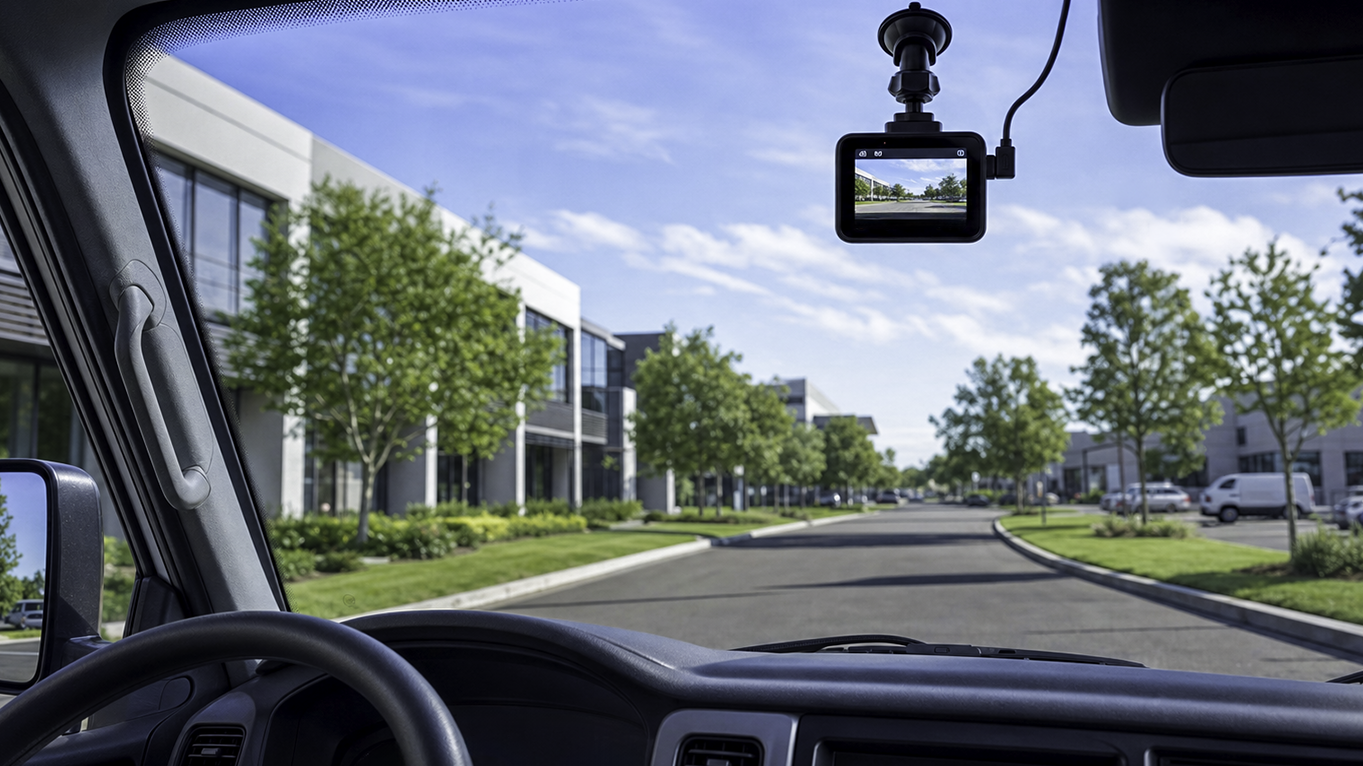
Search the web, and you’ll find plenty of dash cam guides written for everyday commuter cars. A dash cam for pickup trucks and service vans is a vehicle-mounted camera that records the road, and sometimes the cabin, chosen around a work vehicle’s windshield space, power supply, and job-site conditions rather than a passenger car’s. Three things change when you move from a car to a work truck. They are where the camera can physically go, how it gets power while the vehicle sits, and what heat and vibration do to the hardware.
If you’re still weighing the broader case for cameras, start with our guide to fleet dash cam programs, then come back here for the vehicle details.
Fewer Options for Where It Can Physically Go
Windshield real estate is very valuable in a work vehicle. Rearview mirrors, heavy-duty mounts, state permit stickers, toll transponders, and phone holders are often already competing for space.
Then there’s the bulkhead question. A partition between the cab and cargo area means a rear-facing interior view sees only a metal wall, so "front and rear" does not mean the same thing in a service van as it does in a sedan. Likewise, a pickup truck has no rear glass view worth having once a ladder rack, heavy cap, or load is in the bed, and a box truck has no rear glass at all.
Ladder racks, roof equipment, and pipe carriers can introduce significant vibration in a vehicle. This vibration, and where you feel it, often plays a big part in determining where you can mount a camera. Before finalizing the placement, check your state’s windshield obstruction rules, because they vary by state and a position that is legal in one may not be in another.
How It Gets Power, and What Happens While the Vehicle Sits
To power a dash cam in a light-duty fleet vehicle, you have three practical options.
- Accessory socket: plugs into the same socket as a phone charger and is the simplest to set up.
- OBD-port connection: plugs into the vehicle’s diagnostic port without cutting into any wiring. If that port already holds a telematics device, ask how the camera will connect alongside it.
- Hardwired installation: runs to the vehicle’s fuse box and is usually done by an installer.
Whichever you choose, power matters more in a work vehicle than in a commuter car because of how these vehicles are used and parked.
If a camera records while parked, it draws power from the vehicle's battery. Depending on the camera's power efficiency, you can end up with a work vehicle that will not start on a Monday morning, costing a day of scheduled work. Take-home vehicles complicate the calculation further, as the van or truck spends more time away from the company’s shop and maintenance team. The takeaway is to decide whether you need parked recording before you choose a power option, because one decision shapes the other.
Heat, Vibration and the Job-Site Environment
Work vehicles often sit in full sun on job sites for hours, which makes for a harsh cabin environment. Ask what temperature range a camera and its mount are rated for, and compare it with the heat your vehicles actually sit in on a job site.
Unpaved job sites, bumped curbs, and heavily loaded suspensions mean more vibration, which affects both the physical mounts and the recording media.
What to Ask Before You Buy a Work Vehicle Dash Cam
A fleet camera for light-duty trucks must survive the day-to-day realities of your business, but you shouldn’t base your purchasing decision on physical characteristics alone. It’s equally important to know why you need a work truck dash cam, what you will actually use it for, and which problems it will solve.
Every operation is different, so you need a camera that works for you and your team. To make your priorities clearer, ask yourself this set of questions:
- What do we need to prove? Are you trying to prove fault in a disputed collision, capture a reversing incident, or see what a driver faced in a near miss? The answer decides which direction the camera needs to point.
- Do we need to record while the vehicle is parked? Don’t assume a camera covers a vehicle that is parked with the engine off. Ask, and if it does, remember that the coverage draws on the vehicle’s battery, which risks a work truck that won’t start the next morning.
- Who needs to get footage, and how fast? If your insurer or attorney needs a clip, how quickly you can send it matters more than 4K resolution or other features.
- How does the footage get off the vehicle? Collecting a physical SD card from a vehicle parked at a job site is a very different operation from footage that uploads automatically over a cellular data connection. Ask what your weekly routine actually allows.
- How long do we need to keep it, and who decides? Retention is a policy question with a real storage cost attached. Answer this before purchase rather than discovering a massive data bill later.
- Who will check that the cameras are working? Name one person to own that task, or it will not happen.
- Does the cab need to be recorded at all? This is more a legal and policy question than a hardware question, and it deserves closer analysis.
Don’t treat a mixed fleet as uniform. A pickup, a bulkheaded van, and a box truck may need three different camera setups, so answer the questions above separately for each vehicle type.
Ask yourself where your incidents actually happen. If your claims history is mostly reversing and low-speed maneuvering on job sites, that tells you where coverage matters most, and it may matter more to you than recording the cab.
Recording the Cabin Versus Analyzing the Driver
Whether you record a van or truck’s cabin is a decision you make for your operation, with your state’s laws in mind. If you do point a camera at the cab, know that two very different kinds of systems do it.
First, there are dual-facing cameras, which point at both the road and the cabin and record what they see. This type of hardware produces raw footage that a human can review after an incident. By contrast, a driver monitoring system (DMS) analyzes the driver. It watches the face and eyes for signs of fatigue or distraction and generates alerts or scores based on that automated analysis.
Decide which of the two you need before you compare products. A DMS makes automated judgments about your drivers, which is a much bigger conversation to have with your crew than a camera that simply records.
The Legal Homework and the Driver Conversation
Once you’ve decided which type of dash cam system you need, make sure your implementation aligns with your state's laws and your approach to driver privacy.
Here is a step-by-step guide to help you with the legal homework and the driver conversation:
- Decide what you need to document. Write down your decision, as it can serve as an honest reason for installing dash cams that you can share with your drivers.
- Become familiar with your state's laws. Learn what your state allows on a windshield and what it requires regarding audio recording of people inside a vehicle. Both vary by state, so don’t assume anything. For audio, the Reporters Committee for Freedom of the Press keeps a state-by-state Reporter’s Recording Guide that is a useful starting point. If you are adding vehicle tracking at the same time, review GPS tracking laws by state as well. Consult legal counsel, as this article does not constitute legal advice.
- Settle the audio question. Audio is where consent rules tend to be strictest, and turning it off removes that question entirely. Consider whether audio will have enough value for your evidentiary needs before enabling this feature.
- Write the policy before the hardware arrives. Define what type of footage you will record, when you will record it, who can view it, and how long you will keep it. Your policy should also define what you will and won’t do with the footage.
- Tell drivers why you chose cameras before installing them. Explain the problem in plain terms, such as a claim where the driver’s word was the only evidence. Framed that way, drivers can see that the footage protects them as much as it protects the company.
- Answer the cab question directly. If the cabin is being recorded, clearly tell your drivers. If it’s not, say that too. Drivers will automatically assume the worst if nobody clarifies it.
- Install, then verify. Ensure each camera is mounted, aimed, recording, and retrievable. Do a test retrieval on one vehicle long before you actually need it.
- Set a recurring check. A monthly check to ensure cameras are aimed and functioning is enough.
- Handle the first real incident exactly as your policy says. Following through shows your crew the policy means what it says.
When you draft policy, make sure it reflects your drivers' day-to-day experience. If you have a rotating crew rather than long-term employees, document more of the policy instead of explaining it verbally. If drivers take vehicles home, answer questions about where the vehicle parks, whether the camera records off the clock, battery drain, and personal privacy before day one.
Avoid These Dash Cam Implementation Mistakes
Three mistakes can undercut driver buy-in. The first is letting drivers discover the cameras on their own instead of telling them upfront, because lost trust can cost more in the long run than most fender-benders.
The second is skipping the legal homework, whose consequences can last long after installation.
The third is presenting cameras as a punishment for one driver’s actions, which turns a fleet-wide safeguard into a grudge.
Where Bouncie Fits Into the Picture: Knowing Which Minute to Look At
When you see sample dash cam footage that proves who backed into whose vehicle, it’s easy to see how the technology can benefit your business. What sample clips don’t show is that a dash cam produces hours of footage where nothing happens, and after an incident somebody has to find the 90 seconds that matter. This is why it’s worth running your dash cams alongside GPS fleet tracking, which records where each vehicle was and when, so you know which minute of footage to open.
When the Bouncie device detects an impact while a vehicle is being driven, it sends an alert showing where it happened, which gives your footage review a starting point. The Bouncie device’s Geo-Zones feature can also alert you when a company truck enters or leaves a defined area, such as a supply house or job site, which adds another time and place to the timeline.
Tracking data also covers moments a camera may miss, and sometimes it settles a dispute before anyone opens the footage. The Bouncie device’s trip history shows when each trip started and ended, so if another driver claims your parked van hit them, it can show whether the van was parked or in the middle of a trip at the time they describe.
Address Fit and Policy Before Reviewing Dash Cam Features
Choosing a dash cam for pickup trucks or service vans starts with the vehicle, not the feature list. Work out where a camera can legally and physically mount, how it will be powered while the vehicle sits, and whether it can handle job-site heat and vibration. Then answer the questions about your own operation, from what you need to prove to who retrieves the footage. Finally, check your state’s windshield and audio recording rules and write your camera policy before the first camera is installed.
To see how the Bouncie device’s alerts and trip history help you decide which footage is worth reviewing, learn more about Bouncie for Fleets.