Construction Fleet Management: A GPS Guide for Builders and Contractors
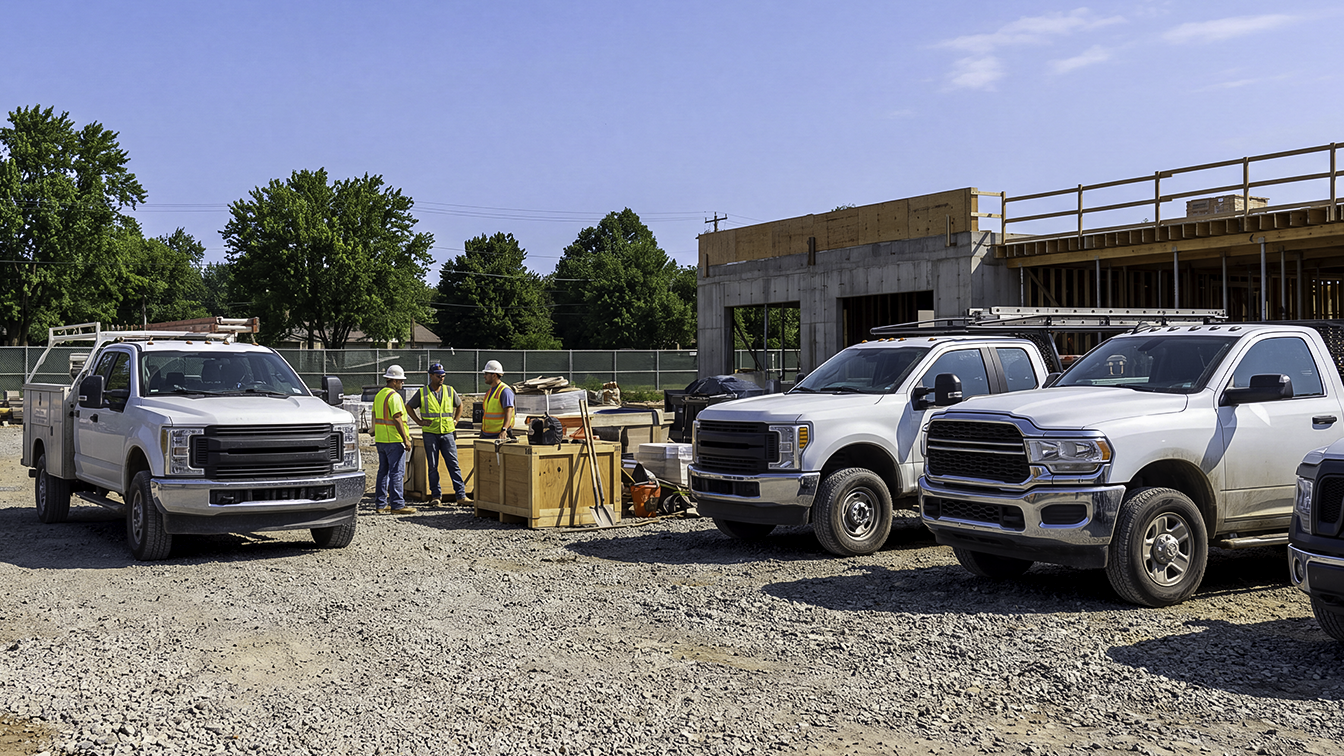
A typical workday for a construction manager might start around 6 or 7 am. By that time, your crews could be scattered across three active residential builds, a commercial renovation, and the local supply yard. You see trucks moving and heavy equipment in use. On the surface, everything seems to be running fine.
But what happens if someone asks you where the plumbing crew’s truck is, or if the electrical foreman made it to the site on time?
Your first instinct is probably to reach for your phone to make calls or fire off text messages. Who can say exactly where anyone is when vehicles are constantly moving between multiple active sites, and crews are starting and stopping at odd hours? It’s easy to reason that if you have a position of responsibility in the construction industry, phone tag is just part of the job.
Leading construction owners and fleet managers do something better with their phones. They open their construction fleet management app and see the location of every vehicle in their fleet at once. Instead of collating foremen’s text messages and coordinating a large team over the phone, they use the power of visibility to manage their construction fleet cost-effectively. If this sounds like your operation, the rest of this guide is written for you.
Construction fleet management is the practice of tracking, coordinating, and costing the vehicles a construction business moves between job sites, typically using a GPS device in each vehicle and a single app that shows where everything is. In this guide, we'll cover what you need to know to deploy it for your business.
What Makes Construction Fleet Management Different
Construction fleet management differs from other fleet operations in three specific ways, and each one changes what you should look for in a system. Many people assume vehicle tracking is one-size-fits-all. The satellites are the same everywhere, but the practical application of construction fleet tracking has little in common with tracking a local plumbing service or a cross-country freight operation. The environment and the daily use patterns create very specific needs.
First, construction job sites change constantly. A long-haul truck drives from Point A to Point B on fixed highways, and a local delivery van follows optimized residential routes. A construction truck, however, might visit a gravel pit, a temporary job site that didn’t exist on a map three months ago, and a subcontractor’s yard all in one afternoon. Vehicles need to be tied to dynamic job sites and defined geographic areas, meaning geofenced boundaries rather than fixed street addresses.
Construction crews also often share trucks. While a delivery driver might be assigned the same van every day for a year, construction trucks are frequently shared across a job site or handed off throughout the week depending on who needs to haul materials. That matters for how you read the data, because a report on a shared truck describes the vehicle rather than any one driver.
Construction fleets often include a wide range of vehicles, and they do not all connect the same way. Pickups, work vans, and lighter box trucks have a standard OBD-II diagnostic port that a tracker plugs straight into. Above roughly 14,000 pounds GVWR, the port changes rather than disappears. Those trucks use a 9-pin J1939 connector that an adapter can bridge, which is how plenty of construction fleets already track their heavier box trucks. Earth-moving equipment and unpowered trailers are the genuine exception, since they need a different class of tracker. So a construction fleet sorts into three groups, which are vehicles with a standard OBD-II port, heavier trucks that connect through an adapter, and equipment that needs different hardware entirely. This guide covers the first two, which is most of what a construction fleet actually drives.
What GPS Fleet Tracking Actually Shows You on a Job Site
A construction fleet tracking app shows you five things that matter on a job site, which are real-time location, trip history, geofence alerts, idle time, and driving behavior.
You can expect a dashboard that provides not only a live map, but a high-level view of all the data collected from your fleet vehicles. Builders and contractors aren’t interested in raw data streams. Instead, they need answers to the questions that come up during a workday before they even ask.
That’s why you’ll see these features in construction fleet tracking apps:
- Real-time location: This is the most fundamental feature. Instead of wondering, "Is that truck actually at the site it's supposed to be at right now?" you can simply glance at a map. You see a live pin of the vehicle's location, giving you immediate situational awareness.
- Trip history and stops: Construction fleet telematics systems record where a vehicle has traveled. Apps with the trip history feature can replay a truck’s entire day across multiple job sites or supply runs. This is incredibly valuable for retroactive billing, verifying timesheets, or resolving a dispute about when a delivery actually arrived.
- Geofence entry and exit alerts: You can draw a virtual perimeter, called a geofence, around a job site or your equipment yard. The system automatically logs and alerts you the moment a truck crosses that boundary. This means automatic confirmation of arrival and departure times at each job site, with no phone calls required.
- Idle time: Excessive idling is often accepted as a fact of life on construction sites. Crews leave trucks running for air conditioning, heating, or simply out of habit. Tracking systems provide hard data on idling, which is one of the most expensive and most preventable fuel drains in the industry, and it is measurable across a mixed fleet rather than only on your newer pickups.
- Driving behavior: Tracking systems monitor for aggressive driving events such as speeding, hard braking, and rapid acceleration. This is especially relevant when your heavily branded company trucks drive through quiet residential streets near job sites. It is also a critical data point for insurance negotiations and risk management.
The Real Value of GPS Tracking in Construction Fleet Management
Tracking data earns its cost in five places on a construction operation, and each one maps to a specific way projects lose money. When applied correctly, GPS tracking gives construction owners and fleet managers immediate insight into the problems that drain a project's profitability. Those five are:
Maintaining Accountability on Job Sites
One of the main reasons to track your fleet vehicles is to ensure your crews and vehicles are where they’re scheduled to be. Trip histories and geofencing make it easy to flag unscheduled stops or unexplained detours during work hours. Knowing that vehicles are tracked tends to reduce the unscheduled stops on its own, which builds accountability without a project manager having to chase it.
Allocating Vehicle Costs to the Right Job
Construction lives or dies on job-level profitability, and vehicle time is one of the last costs most contractors still allocate by guesswork. When arrival and departure times at each site are logged automatically, you can attribute truck hours, mileage, and fuel to the specific job that consumed them instead of spreading them across overhead. That turns a fixed cost you absorb into a variable cost you can bid against, and it makes your next estimate on a similar build measurably more accurate.
Preventing Unauthorized Use of Company Vehicles
Company trucks are expensive assets meant for company business. Fleet tracking solutions let you set alerts for when a company vehicle moves outside scheduled work windows or leaves a radius that you define. If, for example, a truck unexpectedly turns on late on a Saturday night, you receive an instant notification on your phone. Much like accountability on job sites, knowing company vehicles are tracked often stops unauthorized use before it starts.
Idle Time and Other Fuel Wasters
Fuel is one of the most significant, yet most controllable, costs in a construction fleet, and fleet fuel costs respond faster to visibility than almost anything else on a job site. Tying excessive idling directly to your fuel spend can reveal profit-zapping inefficiencies.
The U.S. Department of Energy reports that American vehicles burn more than 6 billion gallons of fuel per year without moving, and Argonne National Laboratory puts idling consumption at roughly 0.3 gallons per hour for a car and about 1 gallon per hour for a large truck. Run your own numbers on that basis. Ten work trucks idling one unnecessary hour a day across 250 working days is 2,500 idle hours, or somewhere between 1,250 and 2,000 gallons of fuel at typical work-truck rates. Multiply that by whatever you are currently paying at the pump. Idle time is rarely spread evenly across a fleet, so the useful output of that report is a short list of the vehicles and crews driving most of the total. Idling is also only one of several hidden fleet cost leaks that visibility exposes. Addressing those few is what moves the number.
Resolving Customer Disputes
Customer disputes are inevitable in any service business. In construction, one of your clients might claim your crew left the site early. A subcontractor could dispute the hours you billed. A fleet tracking system gives you a timestamped record instead of two conflicting recollections. Trip histories and geofence logs show when your vehicles arrived at a site and when they left. Having that on hand usually ends the argument rather than prolonging it, which saves the time you would otherwise spend going back and forth with customers or subcontractors.
Choosing a System: Features That Matter Most for Construction Fleets
In the world of business software, the construction fleet telematics category offers plenty of options. However, many solutions are built for long-haul logistics rather than local builders, so the general advice on choosing a fleet management system needs a construction-specific filter. Five criteria separate a system that works on a job site from one that merely works. Don't be distracted by generic feature lists. Look for products offering these essentials:
- Geofencing: In construction, job sites open and close constantly. Setting up a new geofence should take two minutes on a mobile app or web browser, not a phone call to customer support or a support ticket.
- Multi-user access: Construction decisions get made by more than one person, so a good system supports multiple users with customizable permission tiers. An owner needs the whole fleet, a project manager needs the trucks assigned to their sites, and a foreman needs one vehicle and nothing else.
- Reliable connectivity: Construction rarely happens in areas with perfect 5G coverage. Your vehicles will likely travel through rural areas or partially built-out subdivisions. You need a system that logs data even when offline and reliably syncs the moment the vehicle re-enters a cellular coverage zone.
- Straightforward installation: You don't have time to take your vehicles out of rotation for professional installation. Look for simple, OBD-II plug-and-play trackers you can install across a mixed fleet of pickups, vans, and box trucks in minutes, without needing a technician visit per vehicle. If your fleet leans toward vans, the criteria for van tracking solutions overlap closely with these.
- Transparent pricing: Construction businesses routinely scale up and down based on project needs. However, many tracking solutions lock you into long-term data contracts that force you to pay for vehicles you’re no longer using. Favor systems with transparent month-to-month pricing that don’t lock you in when your fleet grows or shrinks.
How to Roll Out Fleet Tracking Without Blowback From Your Crews
With fleet tracking, the technology is the easy part. The human element is where rollouts go wrong, and a poorly handled one can breed resentment that outlasts whatever the system saved you. The approach that works is the one that builds trust and accountability rather than the one that maximizes oversight. These five steps are the approach most likely to get you adopted rather than resisted:
- Decide the scope first: Determine exactly which vehicles are in scope (e.g., all road-going trucks and pickups). Before installing anything, legally confirm your state and local notice or consent requirements regarding employee tracking.
- Communicate the purpose: Meet with your team to explain that your goal is not surveillance. Emphasize the positive aspects like improved efficiency and fewer customer disputes.
- Set up geofencing early: Define the geographic areas, like job sites, that matter when vehicles come and go. As this is an important feature, make sure it’s ready on day one.
- Start with visibility only: At first, use the system only to monitor locations and trigger geofencing alerts. Let the team get used to the technology before you start layering in stricter reporting on idle times or driving behavior.
- Review data on a regular cadence: Make telematics review part of your normal operations, such as a weekly job-cost review, rather than using it for sudden, one-time audits when something goes wrong.
Construction Fleet Tracking Questions Contractors Ask
Is it legal to track employees in company vehicles?
Tracking a vehicle your business owns is generally permitted across the United States, and the requirements that vary are about notice and consent rather than about the tracking itself. Several states require that you inform employees, and a few have specific consent rules. Requirements do vary in specific ways. California requires written consent, while New York, New Jersey, Connecticut, Delaware, and Maine require written notice, and most states have no employer-specific mandate. Check the GPS tracking laws by state before installing anything, and put the policy in writing either way, because a documented policy is what defuses the issue with crews.
Can you track excavators, skid steers, and trailers with the same system?
Not with the same hardware. Trackers that plug into a vehicle's diagnostic port need a powered vehicle with that port, which excavators, skid steers, and unpowered trailers do not have. Those assets need battery-powered or hardwired asset trackers instead. Most construction operations end up running vehicle tracking on the trucks and a separate approach for equipment.
Do GPS trackers work on box trucks and heavier work trucks?
Yes, though the connection differs. Trucks rated above roughly 14,000 pounds GVWR typically use a 9-pin J1939 connector rather than a standard OBD-II port, and an adapter bridges the two. Location tracking, trip history, geofence alerts, and idle time all work that way. Engine-level data such as fuel level, battery level, and diagnostic trouble codes does not come through the adapter, so if vehicle health monitoring is your main reason for buying, expect it only on your lighter vehicles.
How do you introduce tracking without upsetting your crews?
Lead with the reason, and start narrow. Tell the team what the system is for before it goes in, which on a construction fleet is usually fewer coordination calls and faster resolution of billing disputes rather than monitoring people. Then run location and geofence alerts only for the first few weeks and add idle time and driving behavior reporting later, once the technology is unremarkable.
Bouncie for Construction Fleet Management
If you are looking for a system built to handle the realities of the job site without the bloat of enterprise logistics software, Bouncie is built for the needs this guide has outlined. Bouncie delivers the fleet tracking features builders actually use, offering high-level visibility without unnecessary complexity.
With Bouncie, you get fast, intuitive geofencing with the Geo-Zones feature, which lets you draw perimeters around new job sites in seconds as projects change. You gain real-time location tracking and detailed trip histories, making it easy to confirm crews and trucks are where they are scheduled to be.
To help protect your bottom line, Bouncie provides idle-time and driving-behavior alerts, tying the data directly to fuel savings and safer driving habits. Because construction is a team effort, Bouncie supports multi-user access, ensuring that owners, office staff, and foremen each get the exact level of visibility they need to do their jobs cost-effectively.
All of these features are provided with transparent monthly pricing per vehicle. That means you pay only for the vehicles you use for your construction business. When you take a truck out of commission, you don’t have a long-term contract that makes you keep paying for service. At the same time, this pricing model ensures you can easily scale Bouncie as your fleet grows.
The Real-Time Visibility That Organizes Job Sites and Cuts Costs
The main benefit of construction fleet telematics tools is real-time visibility across your entire fleet, whether you’re managing one job site or many at a time. Construction work produces its own profit drains, and excessive idling and billing disputes are two of the most common.
Because GPS-based construction fleet management gives you visibility, you no longer have to make multiple phone calls to locate your crews or sift through dozens of text messages to get a handle on your team.
So, take inventory of your fleet, scope out which road-going vehicles need tracking first, and confirm your local employee notice requirements. When you’re ready for a construction fleet management solution that understands your vehicles don’t operate like delivery vans, learn more about Bouncie.